If you’ve started silencing your habit tracker’s notifications, you’re not failing at habits — you’re failing at reminder design. A badge that pops up at the wrong moment, repeats too often, or guilt-trips you in red text trains your brain to swipe it away without reading it, which defeats the entire point.
Table of Contents
This guide walks through how to pick the right trigger, timing, and tone for a habit reminder so it feels like a helpful nudge from a friend instead of a scolding app. You’ll get a step-by-step setup process, the settings worth changing in whatever tracker you already use, and the mistakes that turn reminders into noise.
Quick Answer
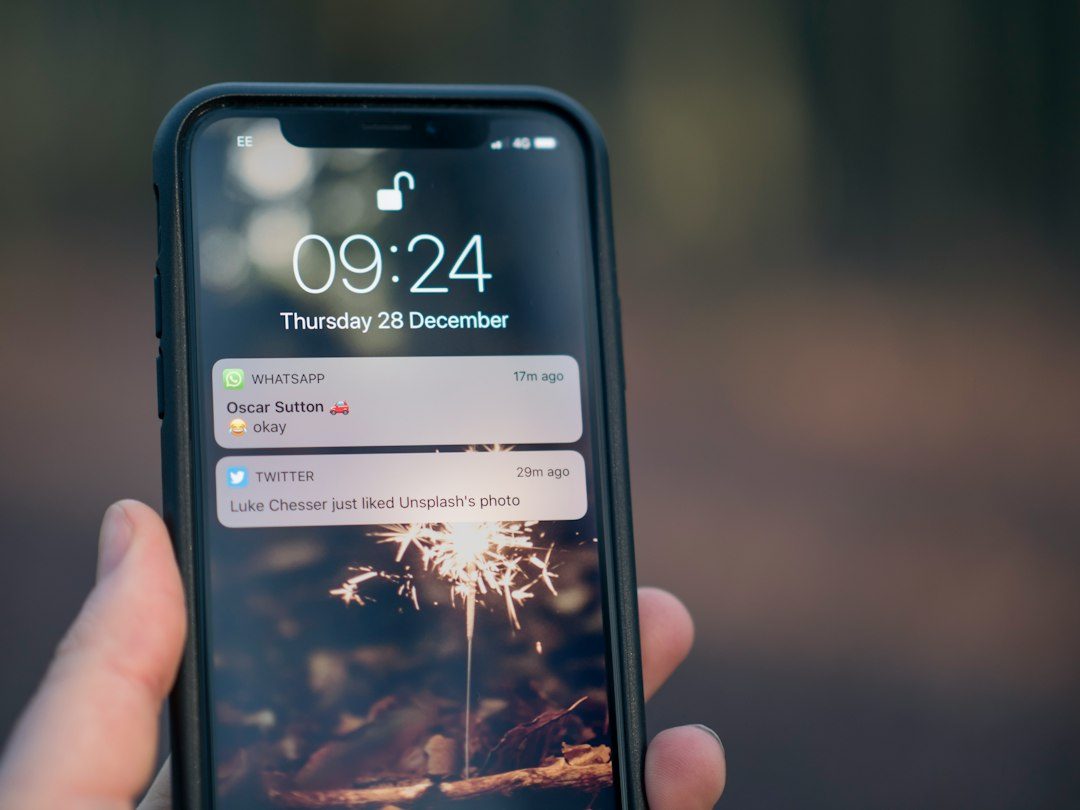
Tie the reminder to a specific existing action (not just a clock time), limit it to one gentle nudge rather than repeating alerts, write the notification text as a cue or question instead of a command, and make it easy to snooze or reschedule in one tap so you adjust the reminder instead of ignoring it.
Set Up the Reminder in 5 Steps
Step 1: Anchor it to a habit you already do automatically, not just a time. Reminders tied to a fixed clock time get ignored the moment your schedule shifts. Instead, use an ‘after X, I’ll do Y’ structure — after I pour my morning coffee, I’ll write two journal lines; after I close my laptop, I’ll do five minutes of stretching. This is called habit stacking, and it works because the existing habit is a far more reliable trigger than a time stamp, especially once you’re a few weeks in and the behavior starts happening on autopilot.
Step 2: Pick one reminder, not three. Most tracking apps let you set multiple alerts per habit — resist that. One well-placed nudge at the moment you’re actually able to act beats a morning, afternoon, and evening ping that just teaches you to dismiss notifications on reflex.
Step 3: Write the notification as a cue, not a command. ‘You missed your habit again’ reads as guilt. ‘Coffee’s ready — two lines in the journal?’ reads as a friendly cue. If your app lets you customize notification text (Loop Habit Tracker, Streaks, and most modern trackers do), rewrite the default copy so it sounds like something you’d actually want to see.
Step 4: Turn on snooze or reschedule actions, not just dismiss. Apps like Loop Habit Tracker put ‘Done’ and ‘Snooze’ buttons directly on the notification, so you can push a reminder back 30 minutes without opening the app or losing your streak data. If your tracker only offers a dismiss button, see if there’s a ‘remind me later’ option buried in settings — it’s the difference between adjusting a reminder and killing it.
Step 5: Review and prune monthly. Any reminder you’ve swiped away without reading for a week straight has stopped working. Either move its trigger to a more reliable moment in your day, change the wording, or turn it off entirely for a habit that’s already automatic — a reminder for a habit you do without thinking is pure nagging.
Timing and Tone Matter More Than the App
The specific app you use matters far less than two decisions: when the reminder fires and what it says. A reminder that fires when you’re physically unable to act (gym reminder while you’re still at your desk 40 minutes away) will always feel naggy, no matter how nicely it’s worded, because it’s asking for something you can’t give yet. Match the trigger to the actual moment of opportunity.
On tone, research on ‘implementation intentions’ — specific if-then plans like ‘after dinner, I’ll do the dishes’ — has consistently found they roughly double follow-through on intended behaviors compared to a vague goal alone. A habit reminder is essentially that if-then plan delivered as a notification, so the more specific and low-pressure the wording, the closer it functions to a plan instead of a demand. There’s also a documented tradeoff worth knowing: leaning on reminders too heavily can make you dependent on the alert rather than building the automatic behavior the reminder is supposed to create. Treat reminders as training wheels you plan to loosen, not a permanent crutch — once a habit sticks for a few weeks, try dropping the alert for a few days and see if the existing cue (the coffee, the closed laptop) is enough on its own.
If your app supports it, use adaptive or smart reminders that learn your actual completion times and shift to match — several current trackers offer this so the alert gradually moves toward when you really do the habit rather than when you originally guessed.
Tips and Common Mistakes
Don’t stack urgency words. ‘Don’t break your streak!’ and similar loss-framed language spikes short-term compliance but burns out fast and makes the app feel like a source of stress rather than support.
Don’t set a reminder for a habit that’s already automatic — brushing your teeth doesn’t need a push notification, and a reminder for something you never forget just adds noise that makes you numb to the notifications that matter.
Don’t ignore notification fatigue across your whole phone, not just the habit app. If you’ve got 20 apps competing for your attention, even a well-designed habit reminder gets lost. Consider a dedicated notification sound or a focus mode that lets habit alerts through while muting the rest.
Do separate ‘reminder’ from ‘guilt tracker.’ A reminder should prompt action before the window closes; a guilt tracker shows you what you already missed. If your app blends the two into one aggressive red notification, look for a setting to soften the visual style or switch to a tracker with a gentler default.
Do test a new reminder for at least a week before judging it. The first few days of any new cue feel slightly off simply because it’s unfamiliar — give it time to settle before deciding it’s naggy versus just new.
Explore more: more habit-building guides.
Non-naggy habit reminders FAQs
What time of day should I set a habit reminder?
Set it for the moment you’re actually free to act, not an arbitrary round number like 7:00 AM. Anchoring the reminder to an existing habit (after breakfast, after you sit down at your desk) is usually more reliable than a fixed clock time.
Is it bad to rely on reminders for a habit?
Occasional reliance is fine, but leaning on an alert indefinitely can stop the habit from becoming automatic on its own. Once a habit feels routine for a few weeks, try a few reminder-free days to check whether the natural cue is enough.
How many reminders per habit is too many?
More than one per habit is usually too many. A single, well-timed nudge is more effective than repeated alerts, which train you to dismiss notifications without reading them.
Can I change what my habit reminder notification says?
In most modern habit-tracking apps, yes — look for a custom message or notification text field in the habit’s settings and rewrite it as a short, specific cue instead of the app’s default phrasing.
Skip the Spreadsheet — Track It in ZenDuel
Habit streaks, mood tracking, and accountability duels in one free app — no template maintenance required. Get ZenDuel.
Want a calmer inbox? Subscribe to the free newsletter.
Photo by Jamie Street on Unsplash.