Decluttering sticks better as a small daily habit than as one exhausting weekend purge. A simple Google Sheets tracker lets minimalists log a few minutes of tidying each day, see their streak grow, and spot which rooms keep piling back up.
Table of Contents
Below is a step-by-step layout you can build in Google Sheets in about ten minutes, plus the free spreadsheet template (ready in .xlsx and PDF) attached to this post so you can start tracking today without setting up a single formula yourself.
Download the Free Declutter Habit Tracker
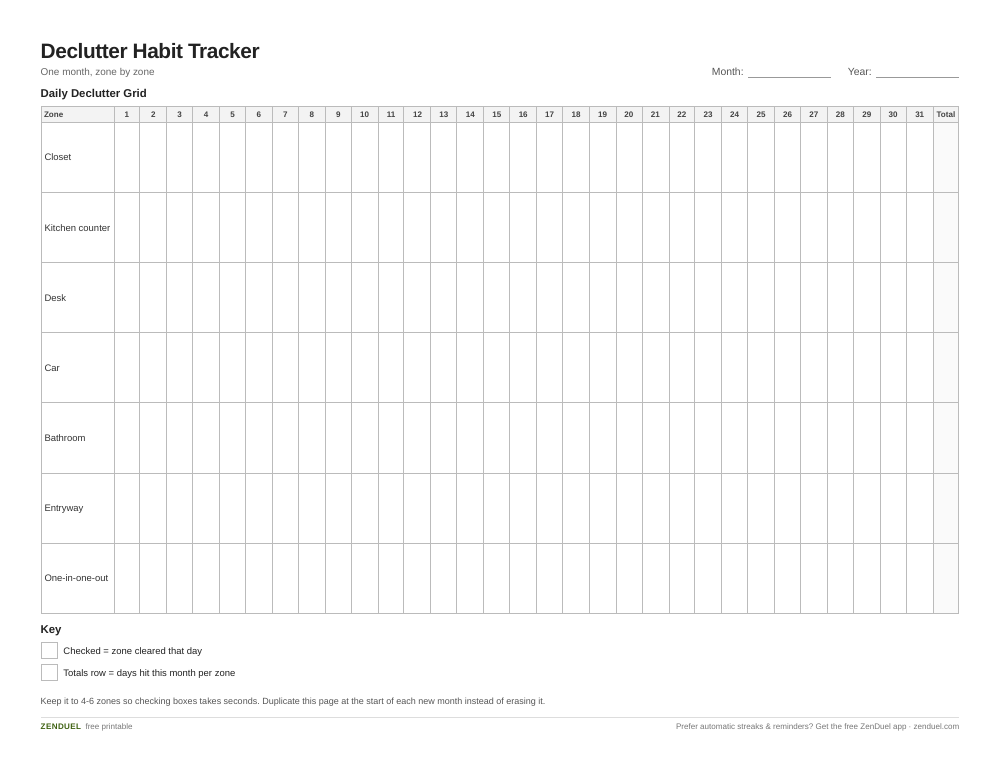
Our own template — free, no sign-up, no email required. A 31-day zone-by-zone declutter grid with a monthly total row for each area, plus a one-in-one-out row. US Letter (prints fine on A4). For Google Sheets, upload the .xlsx via File → Import.
Declutter Habit Tracker (Excel / Google Sheets) Declutter Habit Tracker (PDF)
Quick Answer
Set up a grid with dates down the side and declutter zones (or just one daily checkbox) across the top, insert tick boxes via Insert > Checkbox, then use Format > Conditional formatting with a custom formula so checked days turn green. Add a COUNTIF formula to total your streak automatically.
Build the Tracker Step by Step
Open a blank Google Sheet and set up three sections: a header row, a daily log grid, and a totals column. In row 1, label column A ‘Date’ and columns B through H (or however many zones you declutter: closet, kitchen counter, desk, car, bathroom, entryway, digital files) with one zone per column. Down column A, list 30 or 31 dates for the month so the sheet becomes a one-month log you can duplicate as a new tab each month.
Select the grid under your zone headers (for example B2:H32) and go to Insert > Checkbox. This turns every cell in that range into a clickable tick box — check it off the moment you declutter that zone for the day, no typing required.
Add a totals row at the bottom and a totals column on the right. In the bottom cell of each zone column, enter =COUNTIF(B2:B32,TRUE) to count how many days you hit that zone this month. In the right-hand totals column, use =COUNTIF(B2:H2,TRUE) on each date row to see how many zones you cleared that day.
Finally, select the checkbox grid again and open Format > Conditional formatting. Choose ‘Custom formula is,’ enter =B2=TRUE, and set the fill to a light green. Apply it to the whole range so every checked box turns green at a glance — the more green on the sheet, the stronger your streak.
Keep It Minimalist-Friendly
The point of a declutter habit tracker is to make tidying feel like a two-minute daily reset, not a chore list. Keep the zone list short — four to six areas max — so checking boxes takes seconds, not minutes of deciding what counts.
Rotate zones on a simple schedule if your space is large: closet and desk on weekdays, car and digital files (downloads folder, photo library, email inbox) on weekends. This keeps the habit realistic instead of trying to declutter everything at once.
Add a single ‘one-in-one-out’ column if you’re working on not re-accumulating clutter: check it any day you let go of an item before bringing a new one in. Pairing this with your daily tidy column shows whether maintenance habits and acquisition habits are both on track.
Tips and Common Mistakes
Don’t make the grid too granular. Tracking 15 micro-zones usually leads to abandoning the sheet within a week — a handful of broad zones is easier to sustain long-term.
Reset monthly, not never. Duplicate the tab (right-click the sheet tab > Duplicate) at the start of each month so old data doesn’t clutter your own tracker, and rename the copy with the new month.
If a checkbox grid feels too rigid, swap it for a single ‘minutes spent decluttering today’ number column instead and use conditional formatting with a color scale (Format > Conditional formatting > Color scale) so longer sessions show darker green.
Keep the sheet open as a browser tab or bookmark on your phone’s home screen — trackers that require three taps to open get skipped; trackers that are one tap away get used.
Explore more: more habit-building guides and templates.
Google Sheets declutter habit tracker FAQs
Do I need any special Google Sheets add-ons for this?
No. Checkboxes, conditional formatting, and COUNTIF are all built into standard Google Sheets — no add-ons, scripts, or paid tools required.
Can I use this tracker on mobile?
Yes. The Google Sheets mobile app supports checkboxes and displays conditional formatting colors, so you can check off zones from your phone just as easily as on desktop.
What if I miss a few days?
Just leave those boxes unchecked and keep going — the COUNTIF totals only count what you did complete, so a few missed days won’t break the sheet or require any cleanup.
Skip the Spreadsheet — Track It in ZenDuel
Habit streaks, mood tracking, and accountability duels in one free app — no template maintenance required. Get ZenDuel.
Want a calmer inbox? Subscribe to the free newsletter.
Photo: ParhamGraphic / CC0, via Wikimedia Commons.
