Tracking habits in a dedicated app costs money and requires you to trust a third party with your data. A Google Sheets habit tracker gives you the same core functionality — daily checkboxes, streaks, completion percentages — for free, with everything living in your own Google Drive.
Table of Contents
This guide covers the best free habit tracker templates for Google Sheets, how to copy and set one up in minutes, and the small tweaks that make the difference between a tracker you actually use and one you abandon by day three.
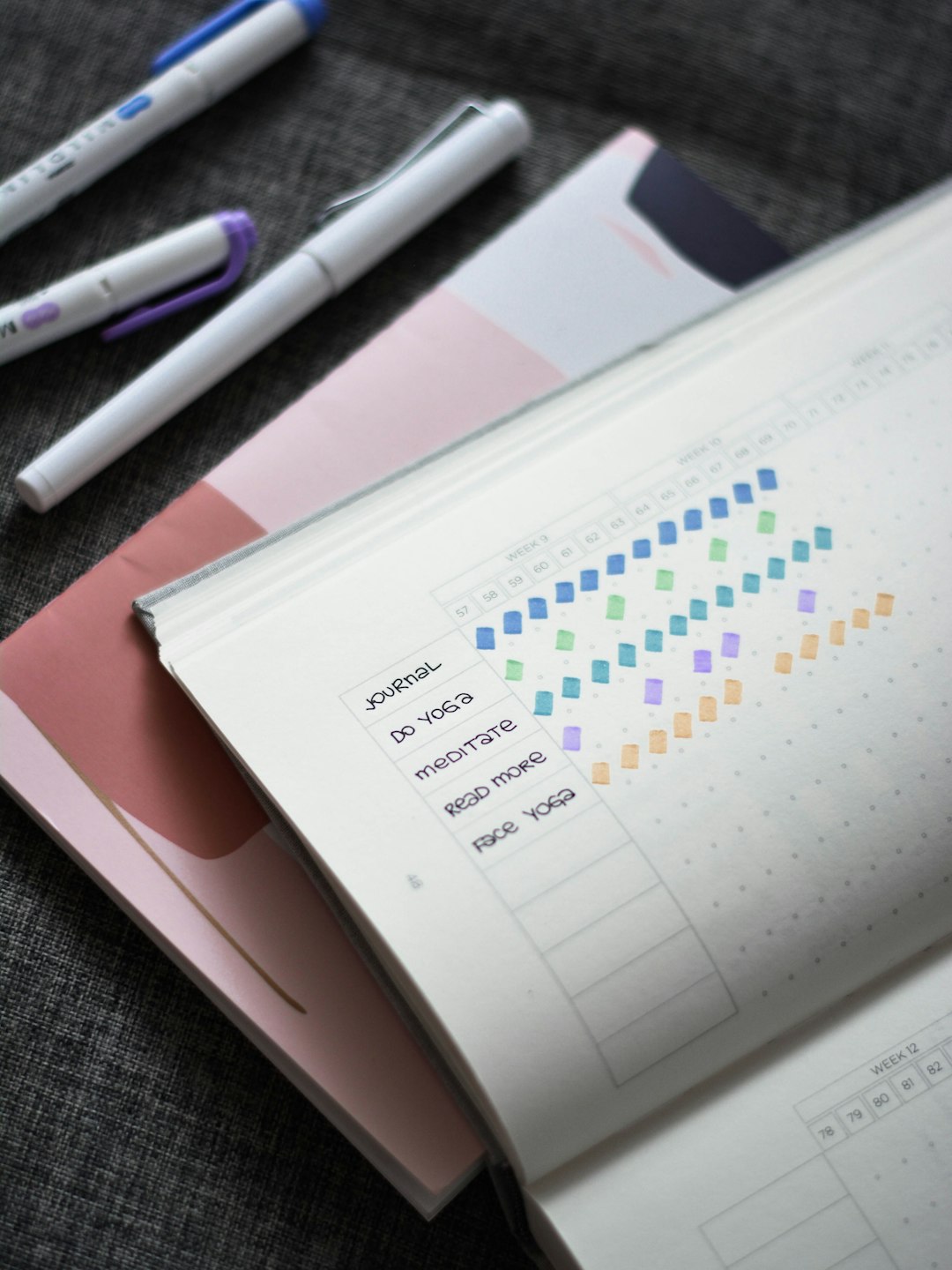
Download the Free ZenDuel Spreadsheet Template
Our own template — free, no sign-up required. A ready-made monthly tracker with automatic totals and completion percentages. Works in Excel as-is; for Google Sheets upload it via File → Import, then add tick-boxes with Insert → Checkbox.
Quick Answer
The fastest way to start: open any of the free templates listed below, click File → Make a copy to save it to your Google Drive, replace the sample habits with your own, and tick a checkbox each day you complete one. Most templates auto-calculate streaks, weekly totals, and monthly completion rates the moment you start checking boxes — no formulas required on your end.
Best Free Habit Tracker Google Sheets Templates
Google Sheets Geeks (by Gracia Kleijnen, published on Medium) is one of the most popular options and is updated for 2026. It uses two tabs — a Setup tab where you define your habits and frequency goals, and a Tracker tab where you log each day. You can add emojis to habit names, set custom emoji rewards for hitting daily targets, and the sheet auto-calculates your current streak and longest streak.
Sheetrix Habit Tracker uses a color-coded weekly layout where each row is a habit and each column is a day. Month and year dropdowns automatically adjust the calendar so you never deal with incorrect dates at the start of a new month. It includes automatic weekly totals and works on desktop, tablet, and phone through the Google Sheets app. A free version covers the basics; a one-time paid upgrade unlocks unlimited habits, progress bars, and extra themes.
TheGoodDocs Habit Tracker is a fully free template (no account required) that lets you track up to 40 habits in a single sheet. It comes pre-loaded with 20 sample habits you can replace with your own, uses a checkbox-based daily input system, and includes automated progress tracking charts and a weekly and monthly view. It also works in Microsoft Excel if you ever need to export your data.
Spreadsheet Point offers a set of specialized templates including a Daily Routine Habit Tracker (up to five habits with dynamic progress bars), a Monthly Habit Tracker (print-friendly with habits that auto-copy across months), and an Annual Habit Tracker (separate monthly sheets with donut charts for visual progress). All are free to copy to your Drive.
How to Set Up Your Habit Tracker (Step by Step)
Step 1 — Choose and copy a template. Open the template link, then go to File → Make a copy. Name it something like ‘Habits 2026’ and save it in a Drive folder you actually open regularly — not buried three levels deep.
Step 2 — Enter your habits. Delete the sample entries and type your own, one per row. Keep the list short. Most template creators and habit coaches recommend starting with no more than five or six. Too many at once makes daily check-ins feel like a chore rather than a win.
Step 3 — Set frequency goals if the template supports it. Templates like Google Sheets Geeks include a Settings tab where you enter how many times per week or month you aim to do each habit. This drives the completion percentage shown in the stats columns automatically.
Step 4 — Mark habits daily. Open the sheet and tick the checkbox next to each completed habit. Streaks, running totals, and completion rates update on their own — you do not need to touch any formulas.
Step 5 — Review weekly. Scan the totals at the end of each week before starting a new one. Patterns show up fast: a habit you consistently skip on Mondays, or one you have done perfectly and could stretch further.
Why Google Sheets Works Better Than You Might Expect
The biggest advantage over a dedicated habit app is full customization with no paywall. You can add a notes column, change colors, build in a monthly reflection section, or create a chart from your own data — and none of that costs extra. Your data stays in your own Google Drive account, not on a third-party server.
Google Sheets also syncs across every device instantly. Check off habits from your phone during a commute, review progress on your laptop at the end of the week. The free Google Sheets mobile app (available on iOS and Android) handles checkboxes and basic edits without issues.
The main trade-off compared to a dedicated app is motivation design. Apps typically include push notifications, badge systems, and gamified streak visuals that Google Sheets cannot replicate natively. If you need a nudge to open the tracker at all, pinning the sheet as a browser tab or bookmarking it on your phone home screen is the most effective workaround.
Tips and Common Mistakes
Do not track too many habits at once. Three to five specific, concrete habits outperform a dozen vague ones. ‘Walk for 20 minutes after lunch’ is a better entry than ‘exercise more.’
Pin the sheet somewhere you already look. The most common reason people stop using a tracker is forgetting it exists. Set it as a browser tab that opens on startup, or add the Google Sheets shortcut to your phone’s home screen beside the apps you already open every day.
Do not backfill dishonestly. If you miss a day, leave the checkbox empty. The streak data is only useful if it reflects reality. Missing days is normal — what matters is seeing your actual pattern, not a polished one.
Avoid over-engineering the template. Sheets loaded with hidden formulas and complex conditional formatting break the moment you try to customize them. Start simple and add features only after you have stayed consistent for a full month.
Use a fresh-start reset instead of abandoning the tracker entirely. If a busy week derails you, do not scrap the whole sheet. Most monthly templates let you uncheck a single month and start clean — a blank grid is more motivating than a half-empty one.
Explore more: More habit-building guides.
Habit Tracker Google Sheets Template FAQs
Can I use a Google Sheets habit tracker on my phone?
Yes. Install the free Google Sheets app on iOS or Android, open your tracker, and tap checkboxes exactly as you would on a desktop. Changes sync instantly across all your devices.
Do I need to know spreadsheet formulas to use these templates?
No. All the templates listed here come with formulas pre-built. You replace the sample habit names with your own, start ticking boxes, and the streaks, totals, and completion percentages calculate automatically.
How many habits should I track at once?
Most habit-building approaches and the template creators themselves recommend five or fewer to start. A focused list is easier to review daily and far less likely to feel overwhelming enough to quit.
Build Better Habits With ZenDuel
Track your habits and mood, stay accountable, and build a calmer routine — get the ZenDuel app. Get ZenDuel.
Photo by Prophsee Journals on Unsplash.
