If you’ve ever downloaded a habit tracker only to find the boxes too small, the habit list irrelevant to your goals, or the whole thing impossible to tweak, editable printables solve that problem. Instead of a static PDF you can only print as-is, an editable habit tracker lets you swap in your own habits, colors, and layout before it ever touches paper.
Table of Contents
This guide walks through where to find large free collections of editable habit tracker printables, how to customize one in Canva or Google Sheets in a few minutes, and how to pick the right format (daily, weekly, monthly, or circular) for the habits you’re actually trying to build.
Download Free ZenDuel Habit Tracker Printables
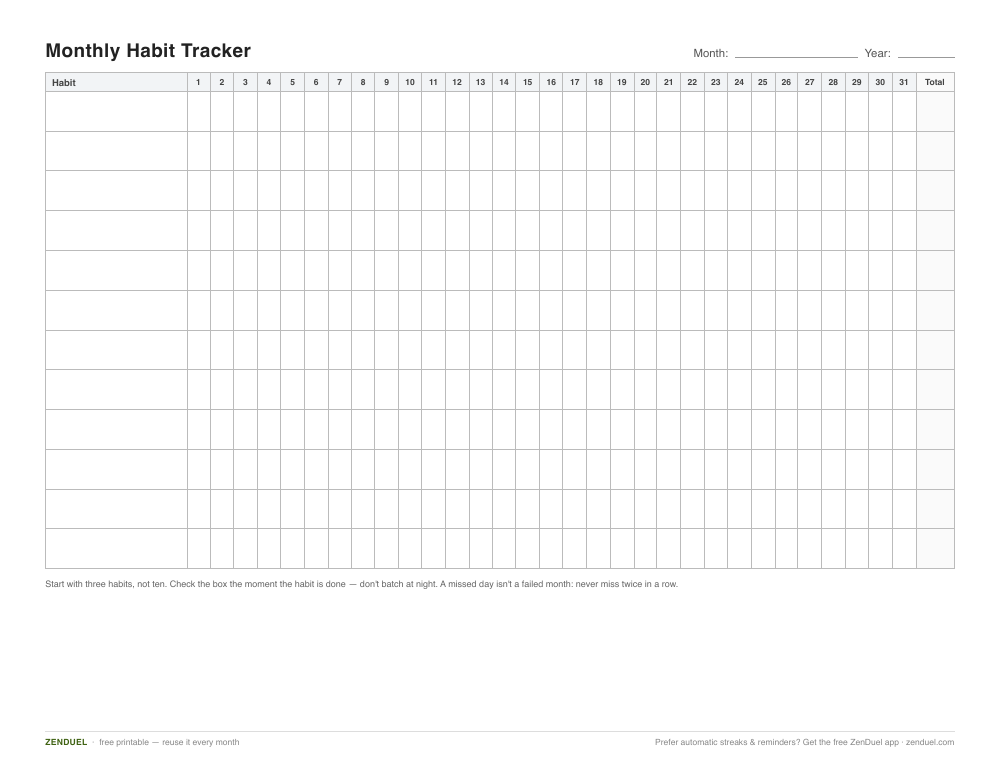
Our own printables — free, no sign-up, no email required. A starter set of print-and-fill layouts: monthly, weekly, undated, yearly, circle and minimalist. US Letter (prints fine on A4). Want to edit the habit names on screen? Use the Canva and Google Sheets steps below.
Monthly (PDF) Weekly (PDF) Undated (PDF) Yearly (PDF) Circle (PDF) Minimalist (PDF)
Quick Answer
Editable habit tracker printables are typically distributed as free Canva templates (which you customize online before printing or saving as a PDF) or as Google Sheets templates (which you copy into your own Drive and edit like a spreadsheet). Look for a listing that offers both an ‘edit’ link and a ‘print-ready PDF’ download, pick a layout that matches how many habits you track, personalize the habit names and colors, then print or use it digitally.
How to Find and Customize a Free Editable Habit Tracker
Start by deciding whether you want a Canva-based template or a spreadsheet. Canva templates are best if you want a visually designed tracker you can restyle (fonts, colors, icons) and either print or keep as a digital PDF you annotate on a tablet. Spreadsheet templates, usually built in Google Sheets, are better if you want automatic streak counts, checkboxes, or conditional formatting that fills in a cell color when you mark a habit complete.
When browsing a collection, check for two buttons or links next to each design: one that opens the live, editable version (in Canva or Google Sheets) and one that downloads a print-ready PDF as-is. If a site only offers a static PDF with no editable link, it isn’t truly ‘editable’ — you’ll only be able to write on it by hand.
To customize a Canva habit tracker: open the template link, which loads a free copy into your Canva account (a free Canva account covers this — no paid plan required for most templates), replace the placeholder habit names with your own by clicking each text box, adjust the date range or day labels, then use Share > Download > PDF to save a print-ready file, or keep it in Canva to fill in digitally using Canva’s own drawing/text tools.
To customize a Google Sheets habit tracker: use the ‘Make a copy’ option to save it to your own Google Drive, delete the sample habits in the habit column and type in your own, then either print directly from the browser (File > Print) or keep using it as a live spreadsheet you check off from your phone or computer each day.
Choosing the Right Layout for Your Habits
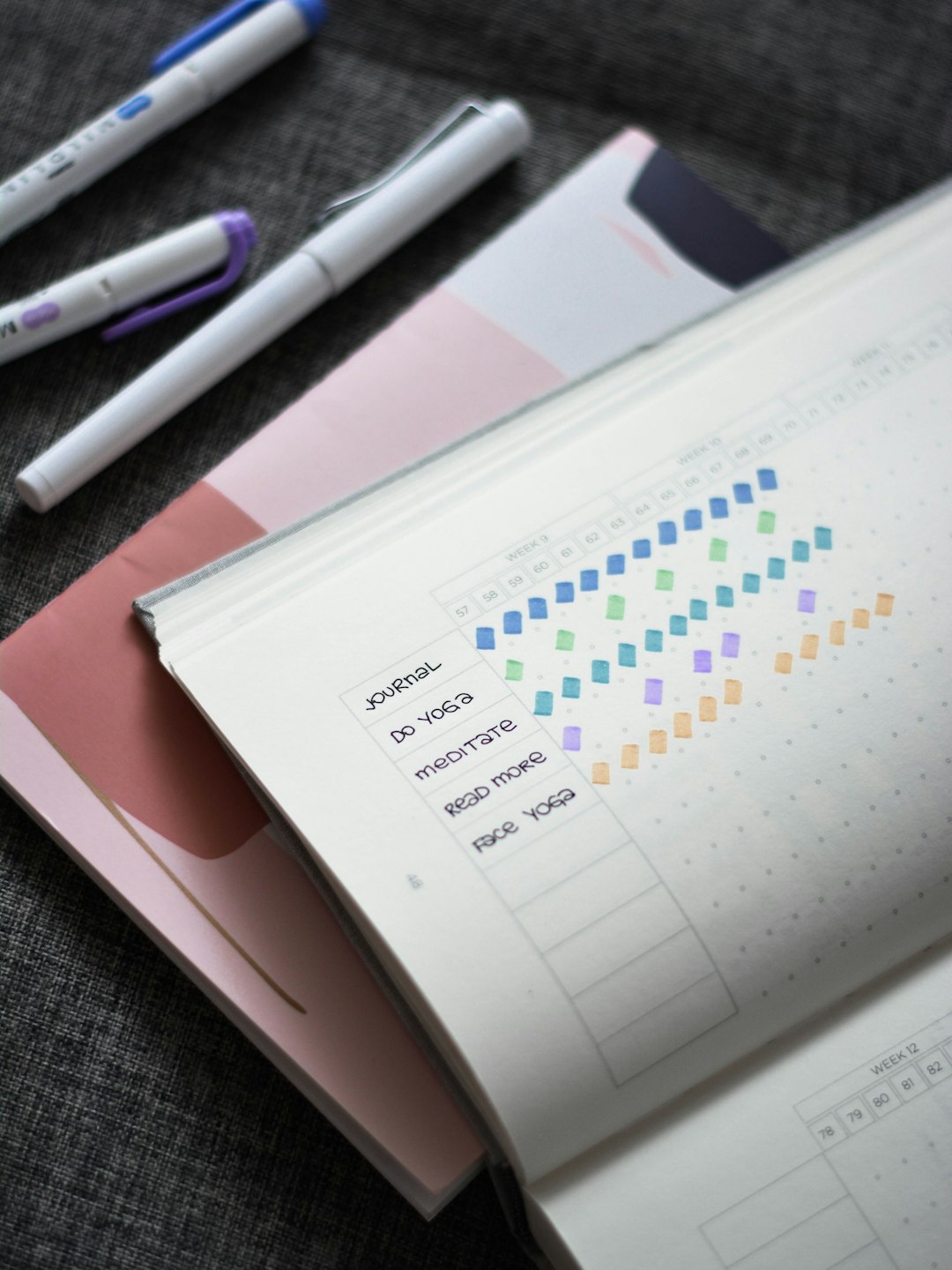
A daily or weekly grid (habits down the side, days of the week across the top) works well for anyone tracking five or fewer habits with a simple checkmark or X for each day — it’s the fastest to fill in and the easiest to customize.
A monthly grid fits more habits and a full 30-31 day view on one page, which is useful if you prefer reviewing progress at the end of the month rather than day by day, but the boxes are smaller, so it works best when you’re marking habits with a single dot or checkmark rather than notes.
A circular (radial) tracker arranges the days of the month in a ring around each habit, which some people find more motivating to look at as it fills in, though it takes a bit more getting used to than a standard grid.
If you’re printing several trackers to build a personal habit-tracking binder or journal, staying consistent with one layout style makes it easier to compare weeks or months side by side later.
Tips and Common Mistakes
Track fewer habits at a time. A tracker packed with 15+ habits often gets abandoned within a week — most people have more success starting with three to five habits and adding more once those feel automatic.
Keep the tracker somewhere you’ll actually see it daily, whether that’s a printed copy taped inside a cabinet door or a digital version pinned to your phone’s home screen; a tracker that’s out of sight rarely gets filled in consistently.
Don’t over-customize before you’ve tested the layout. It’s tempting to spend twenty minutes picking fonts and colors in Canva before you’ve even tried the tracker for a day — start with a simple version, use it for a week, then redesign once you know what’s actually working.
Re-download or re-copy a fresh template each month or week rather than trying to erase and reuse a printed page — this keeps the habit list current and avoids a cluttered, overwritten sheet.
If you’re using a Google Sheets version, double-check any formulas (like streak counts) still reference the right cells after you add or remove habit rows, since inserting rows in the wrong spot can break auto-calculated totals.
Explore more: more habit-building guides and trackers.
Editable habit tracker printables FAQs
Are editable habit tracker printables really free?
Most collections offer the base template for free, using either a free Canva account or a free Google account to make your own copy. Some sites also sell premium or bundled versions with extra designs, but the individual free templates typically don’t require payment.
Do I need a paid Canva account to edit a habit tracker template?
No — most free habit tracker templates use elements available on a free Canva account. A Canva Pro subscription only becomes necessary if the specific template uses premium graphics or fonts, which is usually noted on the template itself.
Can I use an editable habit tracker without printing it?
Yes. Canva templates can be filled in digitally using Canva’s text and drawing tools and then exported or shared as an image or PDF, and Google Sheets templates work entirely on-screen with checkboxes or colored cells, so you never have to print at all.
What’s the difference between a habit tracker and a habit tracker app?
A printable or spreadsheet tracker is something you fill in manually, which some people find more effective for building awareness of a habit, while an app automates reminders and streak tracking. Many people use a printable for visual motivation alongside an app for daily reminders.
How many habits should I track at once?
There’s no fixed number, but starting with three to five habits is a common recommendation, since it’s easier to stay consistent with a short list than to keep up with a page full of habits.
Build Better Habits With ZenDuel
Track your habits and mood, stay accountable, and build a calmer routine — get the ZenDuel app. Get ZenDuel.
Want a calmer inbox? Subscribe to the free newsletter.
Photo by Prophsee Journals on Unsplash.
