A mood tracker only works if you can look back at it weeks later and instantly remember what each color or symbol meant. Without a clear key, most trackers turn into a page of pretty marks that stop making sense after a few days.
Table of Contents
This guide walks through how to build a mood tracker key and symbol legend from scratch, whether you’re using a bullet journal, a printable, or a habit-tracking app, so your log stays consistent and genuinely useful for spotting patterns in your mood over time.
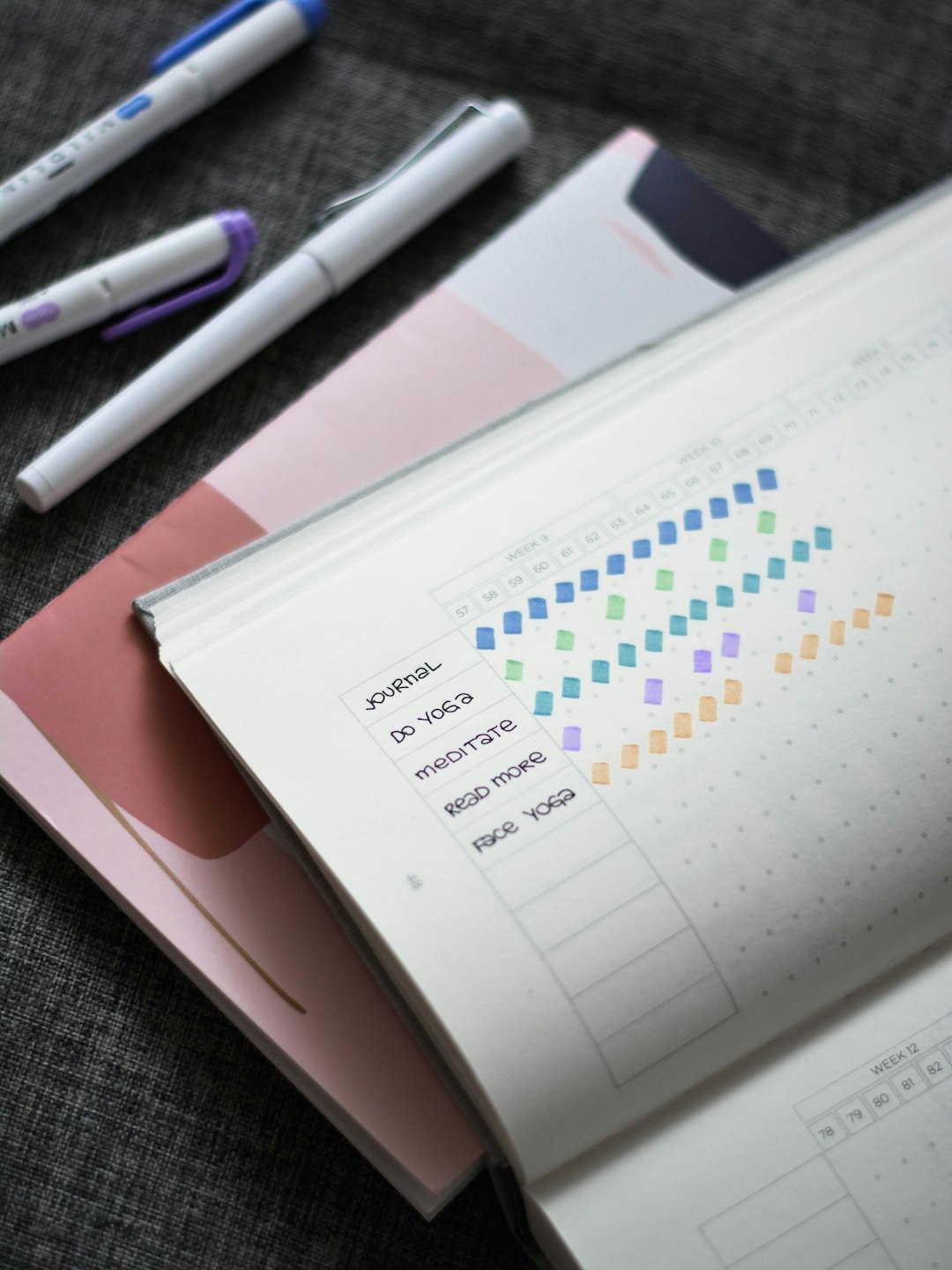
Download Free Mood Trackers With Room for Your Key
Our own printables — free, no sign-up, no email required. Both leave space for your own symbols or colors: a monthly 1–5 tracker and a Year in Pixels page with a color key. Portrait US Letter (prints fine on A4).
Quick Answer
Pick 4-8 moods you actually experience often, assign each one a distinct color or symbol, write that pairing down as a legend on the same page as your tracker, and use it exactly the same way every day so your entries stay comparable over time.
Step-by-Step: Building Your Key
Start by listing the moods you realistically feel on a regular basis instead of copying someone else’s template wholesale. A short list of 4-6 core moods (like calm, happy, anxious, tired, frustrated, and sad) is easier to use consistently than a list of 15 nuanced emotions you’ll forget the meaning of by next week.
Assign one color or one symbol to each mood, not both layered together unless you’re tracking two things at once (like mood and energy level). Common color pairings are warm colors (red, orange, yellow) for high-energy or difficult emotions and cool colors (blue, green, purple) for calm or low-energy ones, but the mapping only matters if it makes sense to you personally.
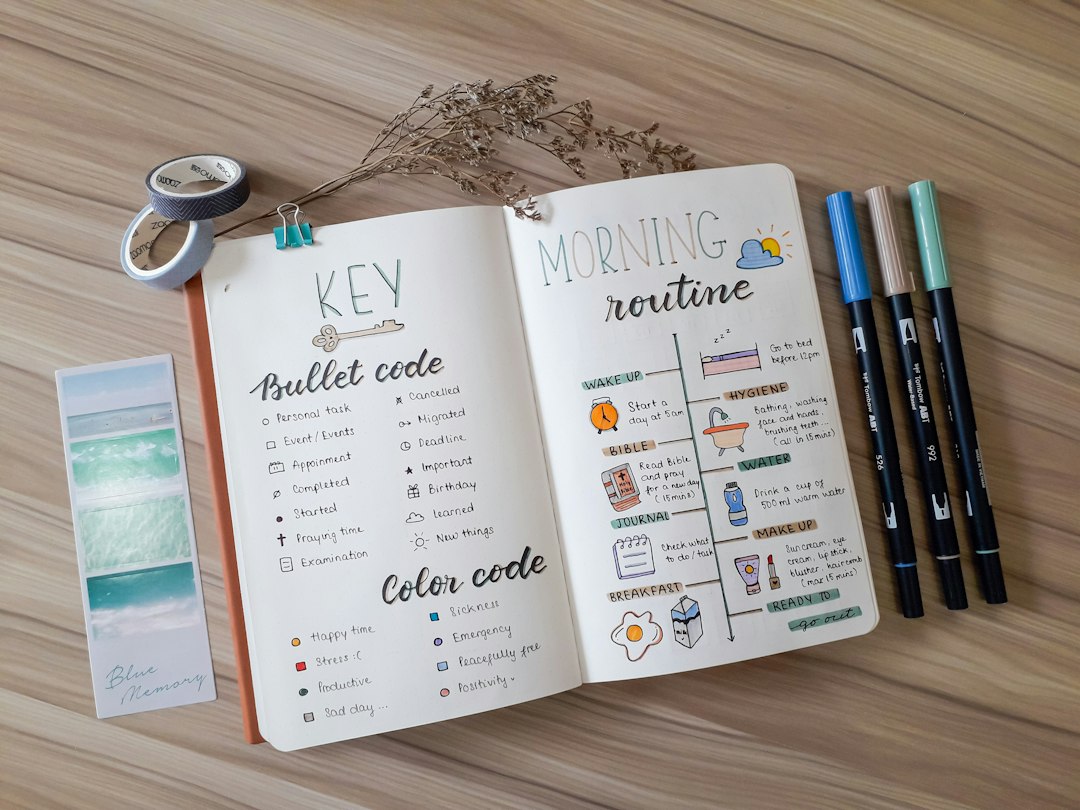
Write the key itself directly on the tracker page, usually as a small strip along the top, bottom, or side: a colored dot or symbol next to the mood word it represents. Keep it visible every time you fill in an entry so you’re not guessing which shade of blue meant what.
Decide on a fill method before you start: a filled-in shape per day (circle, leaf, honeycomb cell), a colored square in a grid, or a small icon or emoji. Grids and daily shapes both work well for monthly trackers; a single symbol per day works better if you only want a quick glance rather than a full calendar view.
Test it for a few days, then revisit. If you keep reaching for a mood that isn’t on your key, or two of your categories keep blurring together, adjust the legend before you’re a month deep into entries that used the old system.
Choosing Symbols vs. Colors (or Both)
Colors are fast to scan and great for spotting monthly patterns at a glance, since a page that’s mostly blue versus mostly red tells its own story instantly. Symbols (weather icons, faces, shapes) are better if you’re colorblind-sensitive, printing in black and white, or want more emotional nuance than color alone can capture.
A lot of trackers combine both: a color for general mood intensity or category, plus a small symbol or note for context (a raindrop for a rough day, a star for something that went well). This layered approach takes a bit more setup but gives you more to work with when you look back and want to understand why a period felt a certain way, not just how it felt.
Tips and Common Mistakes
Don’t start with too many categories. A legend with 12+ nuanced moods looks thorough on day one but usually collapses into ‘I’ll just pick whichever is closest’ by week two, which defeats the point of tracking accurately.
Keep the key on every page or view, not just the first one. If you’re using a monthly spread, repeat the legend on each month rather than assuming you’ll remember it from January by the time June rolls around.
Avoid color choices that clash with your app’s or journal’s existing color scheme in a way that makes entries hard to read later, especially if you’re photographing or scanning pages.
If you’re using a digital app, check whether it lets you customize the default mood labels and colors. Many mood tracking apps ship with a preset list; recoloring or relabeling it to match language you’d actually use makes the data more meaningful.
Revisit your key every few months. As your vocabulary for your own emotions gets more specific, it’s normal to want to split a broad category like ‘stressed’ into more precise ones like ‘anxious’ and ‘overwhelmed.’
Explore more: more mental health tools and guides.
Mood tracker key and symbol legend FAQs
How many moods should I include in a mood tracker key?
Most people do best with 4-8 distinct moods. Fewer than that can feel too vague to be useful, while significantly more tends to become hard to apply consistently day to day.
Should I use colors or symbols for my mood key?
Either works, and many trackers use both. Colors are quicker to scan for overall patterns; symbols are useful if you want more nuance or need something that reads clearly in black and white.
Where should I put the legend on my tracker?
Keep it visible on the same page or view as your entries, ideally in a strip along the edge, so you never have to flip elsewhere to remember what a color or symbol means.
Can I change my mood tracker key after I’ve started?
Yes, and it’s common to refine it after a few weeks of use. Just note the date you switched systems so past and future entries aren’t compared as if they used identical categories.
Skip the Spreadsheet — Track It in ZenDuel
Habit streaks, mood tracking, and accountability duels in one free app — no template maintenance required. Get ZenDuel.
Want a calmer inbox? Subscribe to the free newsletter.
Photo by Prophsee Journals on Unsplash.

1 thought on “How to Create a Mood Tracker Key and Symbol Legend”
Comments are closed.