A habit tracker only works if you actually keep up with it, and the elaborate, hand-lettered spreads you see online can be more work than the habits themselves. A minimalist habit tracker strips that back to a simple grid you can draw or print in minutes and fill in with a single mark each day.
Table of Contents
This guide walks through the core layout, a few easy variations for different notebook styles, and the mistakes that make people abandon their tracker by week two. There’s also a free printable grid you can use right away if you don’t want to rule out a page by hand.
Download the Free Minimalist Habit Tracker Grid
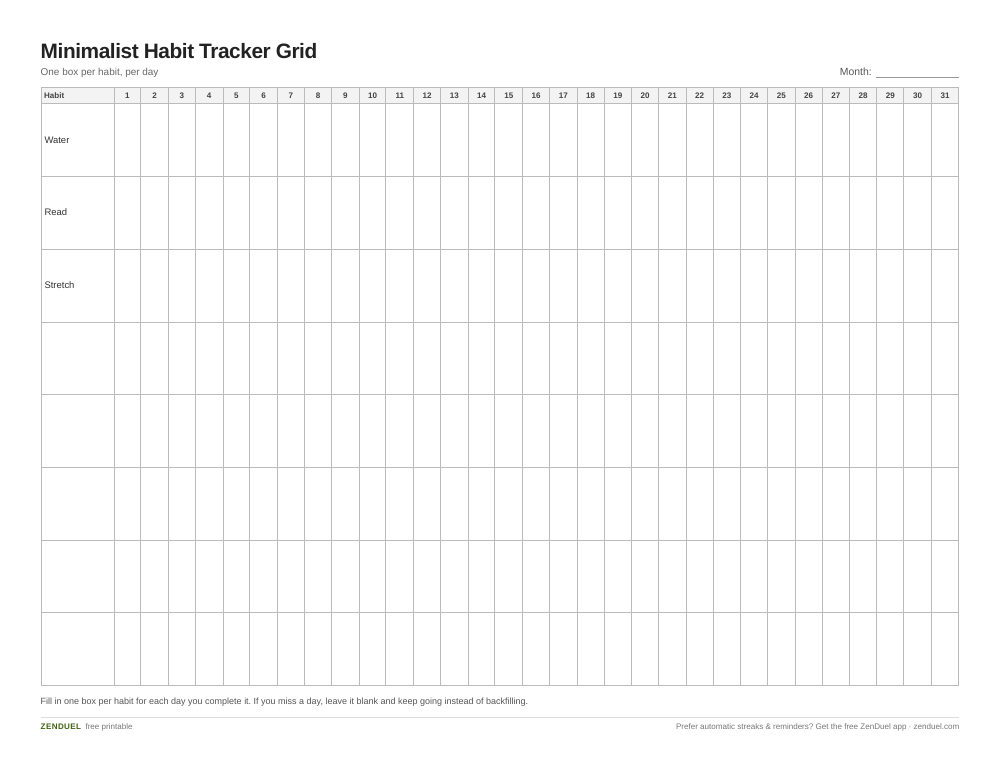
Our own printable — free, no sign-up, no email required. A monthly grid with 8 habit rows and day-of-month columns 1-31, one box per day. US Letter (prints fine on A4).
Quick Answer
The simplest bullet journal habit tracker is a grid: habits listed down the left side, days of the month across the top, with one small box or dot per day that you fill in, check off, or leave blank. No colors, icons, or decoration are required for it to work.
How to Set Up a Minimalist Habit Tracker
Start with the grid, not the design. Across two facing pages or one page split in half, write your habits as a short list down the left margin — most people track between 4 and 10 habits at a time, since more than that gets hard to scan at a glance. Keep labels to one or two words (“Water,” “Read,” “Stretch”) so the row stays narrow.
Across the top, number the columns 1 through 31 for the days of the month (fewer columns for shorter months). If you’re using a dot-grid notebook, the dots are usually spaced about 5mm apart, which is just wide enough to rule a clean grid with a ruler or straightedge — one square per day, one row per habit, roughly 20-25 rows of header space above for the month name and habit labels.
Each day, fill in the box for any habit you completed. A single consistent mark — a filled square, a dot, or an X — is enough. Skip multi-color coding or symbol legends unless you genuinely enjoy that part; they add setup time without improving the tracking itself.
If you’d rather not rule the grid by hand, use the free printable habit tracker grid included with this article. It follows the same layout — a habit column down the left, day-of-month columns across the top, and a clean box per day — sized to fit a standard notebook page or be used as a standalone sheet.
Layout Variations That Still Stay Simple
Monthly grid: the classic layout above, one page per month, all habits visible at once. Best if you want to see streaks and gaps across the whole month without flipping pages.
Weekly strip: the same habit-rows-by-day-columns idea, but only seven columns across a single weekly spread. This works well if you review and reset your habits weekly rather than monthly, or if your habit list changes often.
Single-habit tracker: one habit per small grid, useful when you’re focused on building just one or two habits rather than monitoring a long list. Draw a small box grid with enough squares to cover every day of the month — for example 6 columns by 6 rows (36 boxes, leaving a few blank in shorter months) — and mark only that habit.
Checklist instead of a grid: for readers who find grids visually busy, a simple daily checklist line — habit name followed by a small checkbox, repeated for each day on its own row — gives the same tracking with less visual density, at the cost of taking more vertical space.
Tips / Common Mistakes
Tracking too many habits at once is the most common reason people quit. Start with 3-5 and add more only once filling in the tracker feels automatic.
Don’t let a missed day or week derail the whole page — leave the boxes blank and keep going. A tracker with a few gaps is still useful; a tracker you abandoned because it looked “ruined” isn’t.
Set the tracker up at the start of the month or week, not partway through. A half-filled grid from day 12 onward is demotivating and makes the habit feel like it started late.
Keep the mark system identical across habits. Switching between checkmarks, colors, and stickers mid-month makes the page harder to read at a glance, which defeats the point of a minimalist layout.
Explore more: more habit-building guides.
Minimalist bullet journal habit tracker FAQs
How many habits should I track at once in a bullet journal?
Most people do best tracking somewhere between 3 and 10 habits at a time. Fewer habits means each row stays meaningful and the tracker doesn’t become a chore to fill in.
Do I need a dot-grid notebook for a habit tracker?
No. A dot-grid page makes it easier to rule straight boxes freehand, but a lined or blank notebook works too, and a printed grid removes the need to draw one at all.
What’s the easiest habit tracker layout for beginners?
A single monthly grid with habits as rows and days 1-31 as columns is the easiest to maintain — one page, one glance, one mark per day.
What should I do if I miss several days on my tracker?
Leave the missed days blank and keep marking new days as you go. Trying to backfill or restart the page usually causes people to abandon the habit tracker altogether.
Skip the Spreadsheet — Track It in ZenDuel
Habit streaks, mood tracking, and accountability duels in one free app — no template maintenance required. Get ZenDuel.
Want a calmer inbox? Subscribe to the free newsletter.
Photo: Nea.salo / CC BY-SA 4.0, via Wikimedia Commons.