Most habit trackers are built for brains that don’t lose interest, forget to check in, or spiral after one missed day. If you have ADHD, that’s exactly the kind of tracker that ends up abandoned in a drawer or deleted after a week.
Table of Contents
This guide covers what actually makes a habit tracker stick for ADHD brains: how many habits to track at once, which formats work better than others, a few specific apps worth trying, and the mistakes that quietly kill most tracking systems before they get going.
Quick Answer
The habit trackers that work best for ADHD track one to two habits at a time, attach each one to an existing routine (like brushing your teeth or making coffee), and use flexible, visual check-ins instead of rigid streaks that punish a missed day. Whether that’s a paper chart on the fridge or an app like Habitica or Finch matters less than following those three rules.
How to Set Up a Tracker You’ll Actually Use
Start with one or two habits, not five. ADHD brains tend to get excited and commit to an ambitious list on day one, then quietly abandon the whole system once the novelty fades. Two habits tracked consistently for a month beats ten habits that fall apart in a week.
Anchor each habit to something you already do. Instead of ‘take vitamins at 8am,’ try ‘take vitamins right after I pour my coffee.’ The existing routine acts as the reminder, so you’re not relying on memory or willpower alone to notice it’s time.
Make the check-in itself nearly effortless. If logging a habit takes longer than doing the habit, you’ll skip the logging first. A single tap, a checkbox, or a sticker is enough — you don’t need notes, timestamps, or detailed logs unless that data genuinely helps you.
Put the tracker somewhere you’ll see it without looking for it. A phone app buried in a folder gets forgotten; a paper chart taped to the bathroom mirror or a widget on your home screen doesn’t. Visual, in-your-path placement does a lot of the reminding for you.
Which Format Actually Works: Paper, Apps, or Both
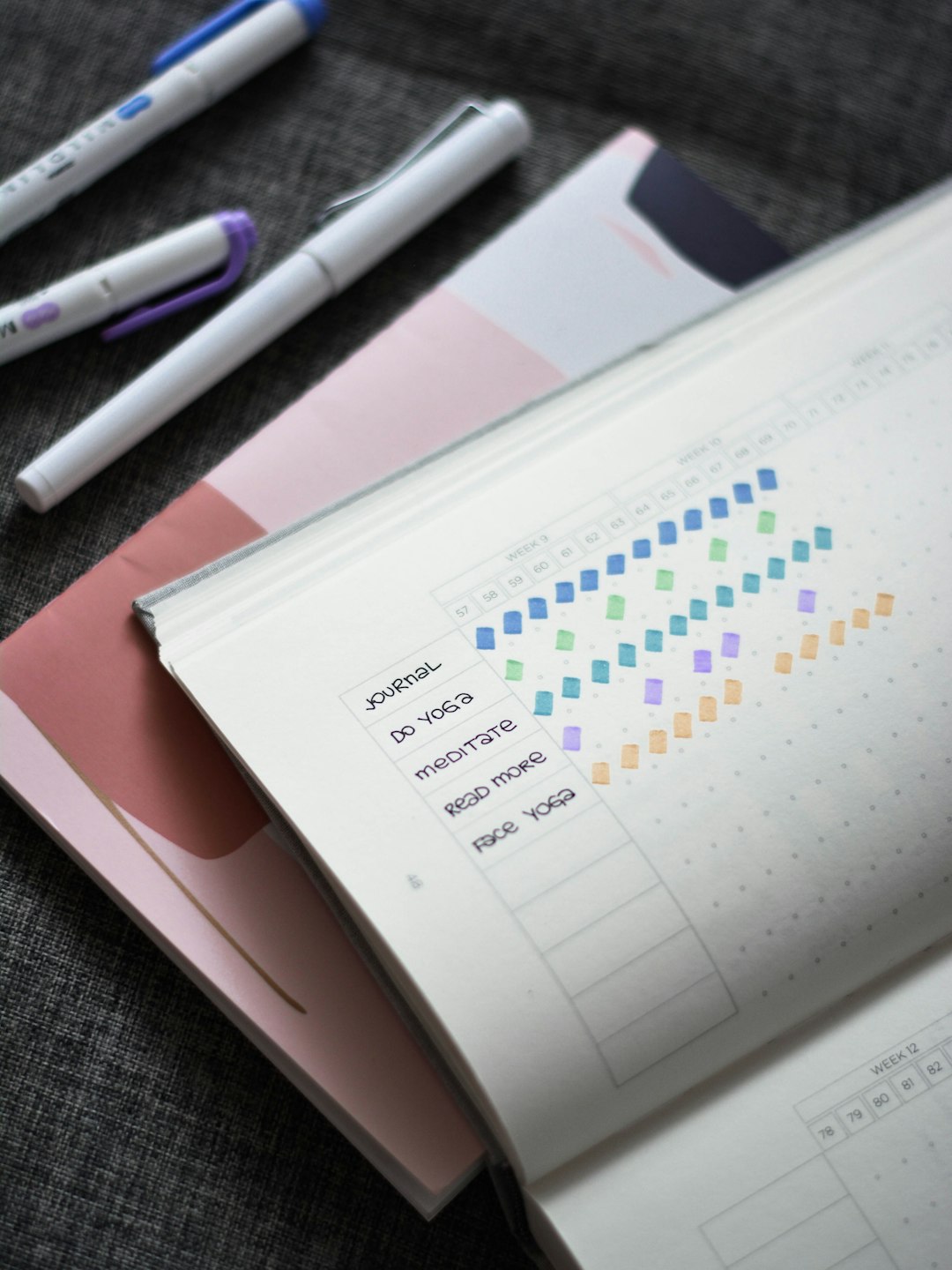
Paper and whiteboard trackers work well for ADHD because they’re always visible and there’s no app to open or notification to dismiss — a grid of boxes you color in gives instant visual feedback. The tradeoff is you have to remember to update it yourself and it doesn’t travel with you the way a phone does.
Habit apps built with flexibility in mind tend to outperform strict streak-counters. Habitica turns habits into a game with a character that levels up, which the ADHD community has consistently gravitated toward because it rewards showing up rather than perfection. Finch uses a virtual pet tied to daily check-in streaks — a missed day still breaks the streak, but the app gives you two ways to soften that: turning on Pause Mode ahead of time freezes your streak while you’re away, and after a miss you can repair it using in-app Rainbow Stones (you also earn occasional free streak-repair saves). That safety net can help if an all-or-nothing mindset usually makes one missed day feel like starting over. Streaks (iPhone/Apple Watch) is built around doing as little as possible to log a habit and can pull some data automatically from Apple Health.
If you’re not sure which format fits, test one paper tracker and one app for two weeks each before committing. The ‘best’ tracker is genuinely whichever one you still open after the first week.
Common Mistakes That Break ADHD Habit Trackers
Tracking too many habits at once is the biggest one — it feels productive to map out your whole day, but it usually means the whole system collapses the first time you get overwhelmed or busy. Trim the list until it feels almost too easy.
Treating a broken streak as failure is another. A single missed day doesn’t erase the habit you’ve built; it’s the ‘screw it, I already broke it’ spiral after a miss that actually ends the habit. Pick a tool or a mindset that treats missed days as data, not a reset button.
Relying on memory instead of environment is a third. If the tracker isn’t physically or visually in your path — taped up, pinned, or set as a home-screen widget — you’ll forget it exists within a few days, no matter how motivated you feel right now.
Finally, watch for novelty fatigue: some ADHD brains lose interest in a tracker purely because it’s no longer new, regardless of whether it’s working. If that happens, it’s fine to switch formats (paper to app, or vice versa) rather than treating it as a personal failure.
Explore more: more ADHD-friendly habit strategies.
ADHD-friendly habit trackers FAQs
How many habits should I track at once with ADHD?
Start with one or two. Add a third only after the first ones feel automatic, usually after a few consistent weeks — trying to track five or more from day one is the most common reason trackers get abandoned.
Are habit-tracking apps or paper trackers better for ADHD?
Neither is universally better — it depends on which one you’ll actually keep using. Paper is always visible with zero setup; apps can send reminders and travel with you but require you to open them. Try both for two weeks and keep whichever one survives.
What should I do after I break a streak?
Log the miss and move on the same day if possible. Choose a tracker that shows flexible progress (like a heatmap) or lets you protect and repair streaks (like Finch’s Pause Mode or streak repairs) instead of a strict, no-recovery streak counter, so one missed day doesn’t feel like starting over from zero.
Build Better Habits With ZenDuel
Track your habits and mood, stay accountable, and build a calmer routine — get the ZenDuel app. Get ZenDuel.
Want a calmer inbox? Subscribe to the free newsletter.
Photo by Prophsee Journals on Unsplash.
