If you’ve ever picked up your phone to check one notification and surfaced twenty minutes later with no memory of how you got there, a digital detox habit tracker is the simplest fix that actually works. Instead of relying on willpower alone, you write down a small, specific goal each day and check it off — which makes the habit visible and makes progress (or backsliding) obvious at a glance.
Table of Contents
This guide explains exactly what to track, how to lay out the page so it’s quick to fill in every day, and how to pair it with the screen-time tools already built into your phone. You can grab the printable tracker in the download box above and start today.
Download the Free Digital Detox Habit Tracker
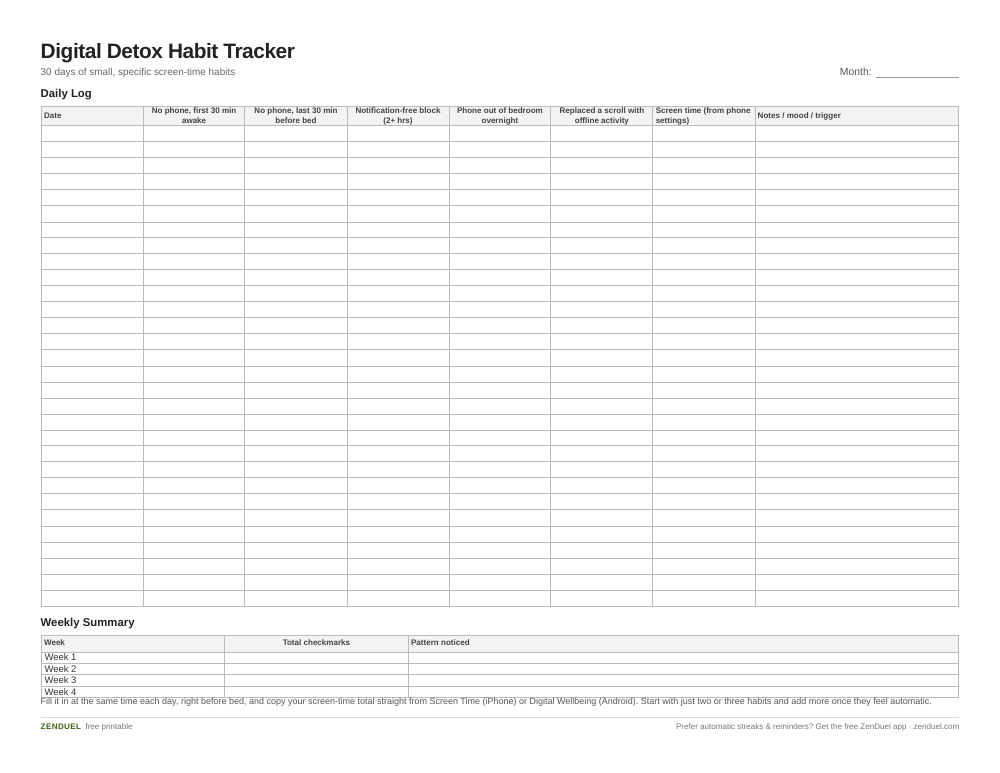
Our own printable — free, no sign-up, no email required. A 30-day log with five daily habit checkboxes, a screen-time column, a notes column, plus a 4-week summary block. US Letter (prints fine on A4).
Quick Answer
A digital detox habit tracker is a simple daily checklist — usually a 30-day grid — where you log things like total screen time, phone-free blocks, and notification-free stretches. Print it, put it somewhere visible (fridge, desk, bathroom mirror), and check off each habit daily; most people notice a real drop in mindless phone checking within one to two weeks of consistent tracking.
What to Track on the Page
Keep the tracker to one page so it doesn’t become its own chore. A layout that works well: a column of dates down the left side (one row per day, enough rows for a full month), then a row of small checkbox columns across the top for the habits you’re building — for example ‘No phone first 30 minutes after waking,’ ‘No phone last 30 minutes before bed,’ ‘One notification-free block (2+ hours),’ ‘Phone out of the bedroom overnight,’ and ‘Replaced one scroll session with an offline activity.’
Add one open column for ‘Screen time (from phone settings)’ so you can copy in the daily total from your phone’s built-in report, and a narrow ‘Notes/mood’ column for a one-line reflection — did a specific trigger (boredom, stress, a specific app) set off a scrolling session? At the bottom, leave a small weekly summary row to total checkmarks for the week, which makes patterns easier to spot than scanning 30 individual days.
Keep the habits themselves small and specific rather than a vague ‘use phone less.’ Specific, binary habits (did you or didn’t you) are far easier to check off honestly than fuzzy goals, and that honesty is what makes the tracker useful instead of discouraging.
How to Use the Tracker With Your Phone’s Built-In Tools
Your phone already has the data you need: iPhones have Screen Time (Settings > Screen Time) and Android phones have Digital Wellbeing (Settings > Digital Wellbeing & parental controls). Both show your daily and weekly totals broken down by app, which is exactly the number you’ll copy onto the tracker each evening.
Start by checking your current baseline for a few days before you start the tracker, so your goals are realistic instead of guessed. Then use the same built-in tools to support the habits you’re tracking: set app limits or scheduled downtime for your biggest time sinks, turn off non-essential notifications so you’re not pulled back in every few minutes, and move the apps you check out of habit (social, news, games) off your home screen so opening them takes an extra, deliberate step.
Fill in the tracker at the same time each day — right before bed works well, since you can log the day’s screen time and reflect on what triggered any slip-ups while it’s fresh. Consistency in when you fill it in matters more than filling it in perfectly.

Tips / Common Mistakes
Don’t try to track five or six habits on day one. Pick two or three (a phone-free first hour and a notification-free block are a strong start) and add more once those feel automatic. Trying to overhaul everything at once is the most common reason detox trackers get abandoned by day three.
Resist the urge to delete the tracker after one bad day. A single missed checkbox or a high screen-time day isn’t a failed detox — it’s data. Note what happened in the mood/notes column and keep going; the weekly summary row will show the overall trend even with a few rough days mixed in.
Make the tracker visible, not buried in a drawer. A page taped to the fridge or bathroom mirror gets filled in; one sitting in a folder gets forgotten. Also keep the phone itself out of easy reach during your phone-free blocks — out of sight genuinely does make the habit easier to keep.
Explore more: more free habit trackers and tools.
Digital Detox Habit Tracker FAQs
How long should a digital detox habit tracker run?
A 30-day tracker is the most common length — long enough to see a real pattern and start forming a habit, short enough to stay motivating. You can always print a fresh one and keep going for another month.
What if I miss a day on the tracker?
Just leave it blank or note what happened and move on to the next day. One missed day doesn’t undo the habit; what matters is getting back to it the next day instead of abandoning the tracker entirely.
Do I need to track every app separately?
No — for most people a single daily screen-time total (pulled from Screen Time on iPhone or Digital Wellbeing on Android) plus a few specific habit checkboxes is more useful day to day than trying to log every app individually.
Skip the Spreadsheet — Track It in ZenDuel
Habit streaks, mood tracking, and accountability duels in one free app — no template maintenance required. Get ZenDuel.
Want a calmer inbox? Subscribe to the free newsletter.
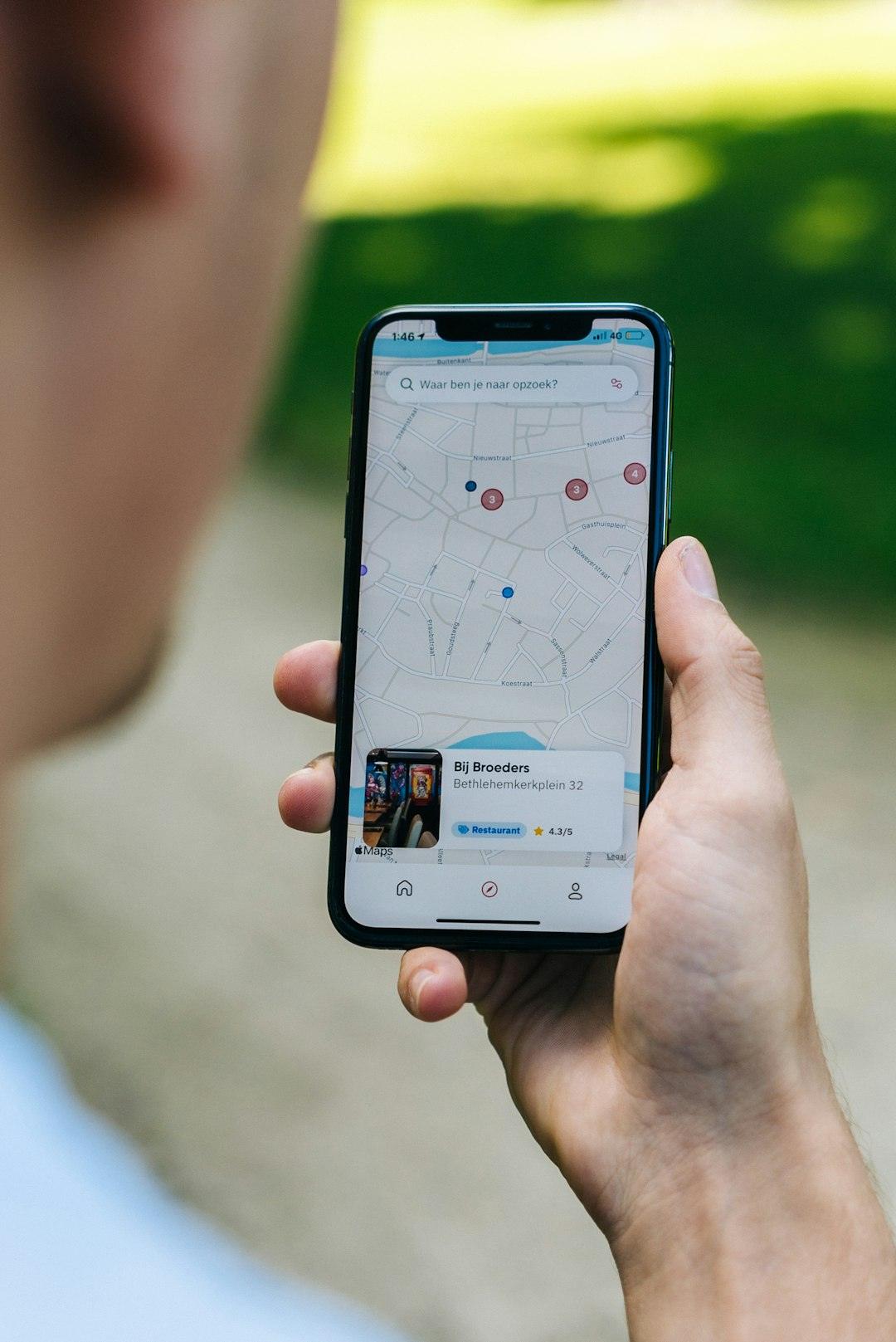
Photo by CardMapr.nl on Unsplash.
