If you want to notice patterns in how you feel without paying for an app, a spreadsheet works surprisingly well. Google Sheets already has everything a mood tracker needs: dropdown menus, color-coded formatting, checkboxes, and simple charts, all free with any Google account.
Table of Contents
This guide walks through building a functional mood tracker from a blank sheet in about 15 minutes, including a color-coded mood scale, notes column, and a chart that shows your mood over time. You’ll end up with a template you can reuse every month.
Download the Free Mood Tracker
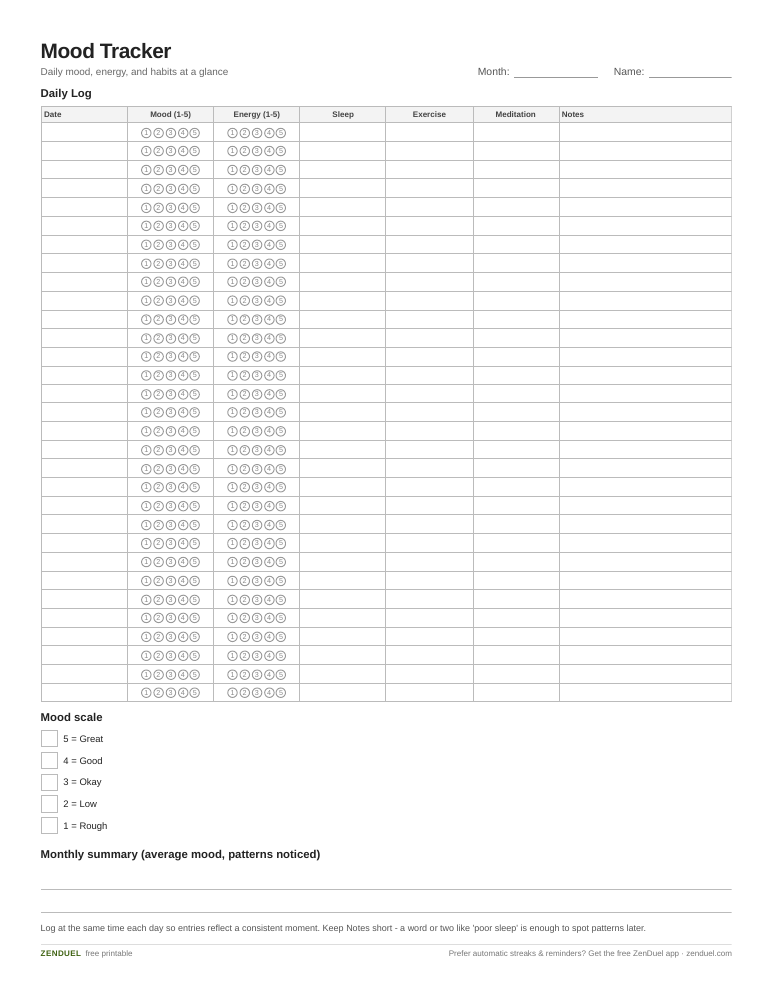
Our own template — free, no sign-up, no email required. A 31-day log with Date, Mood, Energy, three habit checkboxes, a Notes column, and a mood-scale key. US Letter (prints fine on A4). For Google Sheets, upload the .xlsx via File → Import.
Quick Answer
Create a new Google Sheet with columns for Date, Mood (as a number or word), Notes, and optional habit checkboxes. Use Data > Data validation to turn the Mood column into a dropdown, then use Format > Conditional formatting with a color scale so each mood value gets its own color at a glance. Add a simple line chart from the Insert menu to visualize trends over time.
Step-by-Step: Setting Up the Sheet
Start by opening sheets.google.com and creating a blank spreadsheet. In row 1, set up your headers: Date, Mood, Energy (optional), Notes, and any habits you want to track alongside mood, like Sleep, Exercise, or Meditation.
For the Date column, just type dates as you go, or pre-fill a month’s worth using Sheets’ fill handle: type the first two dates, select both cells, then drag the small square in the bottom-right corner down the column to auto-continue the sequence.
For the Mood column, decide whether you want a numeric scale (1-5 or 1-10) or word labels (Great, Good, Okay, Low, Rough). A numeric scale is easier to chart later, so this guide uses a 1-5 scale where 5 is your best mood and 1 is your lowest.
Next, turn Mood into a dropdown so entries stay consistent. Select the Mood column cells, go to Data > Data validation, click Add rule, and under Criteria choose Dropdown. Type in your values (1, 2, 3, 4, 5) as separate items, then save. Google Sheets will also let you assign a color to each dropdown option directly in this panel, which gives you color-coding without a separate conditional formatting rule.
If you’d rather use word labels instead of numbers, you can still use a dropdown the same way, just type the words as your list items instead of numbers.
For any habit columns (Sleep, Exercise, Meditation, and so on), select those cells and use Insert > Checkbox to turn them into simple checkboxes you can tick each day.
Color-Coding and Visualizing Trends
If you didn’t assign colors inside the dropdown editor, you can apply a color scale instead. Select the Mood column’s data cells, go to Format > Conditional formatting, and switch to the Color scale tab. Choose a preset (or set a custom Minpoint/Midpoint/Maxpoint) so low mood values shade toward one color and high values shade toward another. This makes it easy to scan a month of entries and spot rough patches without reading every row. Note that color scales only work with numbers, so this step assumes you used the 1-5 numeric scale.
To visualize your mood over time, select your Date and Mood columns, then go to Insert > Chart. Google Sheets will suggest a chart type; pick Line chart for a clean trend view. You can drag the chart anywhere on the sheet, and it updates automatically as you add new daily entries.
For a quick daily snapshot without a full chart, add a small summary area using an AVERAGE formula over the mood range to see your average mood that month, or a COUNTIF formula to count how many days hit your best mood score. You can also use the SPARKLINE function in a single cell to show a tiny inline trend line next to your data.
If you want a fresh copy each month, duplicate the sheet tab (right-click the tab at the bottom and choose Duplicate) rather than rebuilding the whole thing, or create a Sheets template by saving a clean version and using File > Make a copy whenever you start a new tracking period.
Tips and Common Mistakes
Track at the same time each day if you can, right before bed or first thing in the morning tends to work well, so your entries reflect a consistent moment rather than your mood right after a stressful meeting.
Keep the Notes column short but specific. A word or short phrase like ‘poor sleep’ or ‘big deadline’ is more useful later than a blank cell, since it helps you connect mood dips to actual causes when you review the month.
Don’t skip low-mood days. It’s tempting to only log when you remember to, which usually means logging good days more often and skewing your own data. Set a daily phone reminder if consistency is hard.
Avoid over-engineering the sheet before you’ve used it for a couple of weeks. Start with just Date, Mood, and Notes, then add habit-tracking columns or extra charts once you know what you actually want to see.
If you’re tracking mood for a clinical reason (working with a therapist or doctor), ask what format is most useful to them. A simple date-and-number log is usually easier to review together than a heavily color-coded sheet.
Explore more: more mental health tools and comparisons.
Google Sheets FAQs
Is a Google Sheets mood tracker really free?
Yes. Any free Google account includes Google Sheets with no extra cost, and everything in this guide (dropdowns, conditional formatting, checkboxes, charts) is a built-in feature, not a paid add-on.
What’s the best mood scale to use, numbers or words?
Numbers (like 1-5) are easier to chart and average, so they work better if you want trend lines or summary stats. Word labels (Great, Okay, Low) can feel more natural to fill in but are harder to graph directly.
Can I use this mood tracker on my phone?
Yes. The Google Sheets mobile app supports data validation dropdowns, checkboxes, and conditional formatting, so you can log your mood from your phone and it will sync automatically to the desktop version.
How do I share my mood tracker with a therapist or friend?
Click Share in the top right of the sheet and enter their email address, or generate a link with view or comment access. You can also export a specific date range as a PDF via File > Download if they prefer not to open the live sheet.
Skip the Spreadsheet — Track It in ZenDuel
Habit streaks, mood tracking, and accountability duels in one free app — no template maintenance required. Get ZenDuel.
Want a calmer inbox? Subscribe to the free newsletter.
Photo: ParhamGraphic / CC0, via Wikimedia Commons.
