Building a study habit is easy for a day and hard for a semester. The apps that actually help aren’t the ones with the most features — they’re the ones that fit your phone, your budget, and how much gamification you can tolerate before it feels like a chore itself.
Table of Contents
This guide compares four habit trackers worth trying as a student — Habitica for gamified motivation, Loop Habit Tracker for a free open-source option on Android, Streaks for a clean one-time-purchase pick on Apple devices, and TickTick for combining habits with an assignment planner — plus Forest, a focus-timer app for pairing with any of them during actual study sessions.
Quick Answer
For most students, Habitica (free, cross-platform, gamified) or TickTick (free tier available, combines habit tracking with a to-do list and calendar) cover the basics without a subscription. If you’re on Android and want something minimal and ad-free, Loop Habit Tracker is the pick; on iPhone, Streaks is a well-reviewed one-time purchase.
The 4 Habit Trackers Compared, Plus a Focus Timer
Habitica (iOS, Android, web — free, optional paid subscription) turns your habits and to-dos into an RPG: you earn experience points and gear for completing tasks, and lose health for missing them. Tasks are split into Habits, Dailies, and To-Dos, and you can join a ‘party’ with friends to tackle group challenges, which adds real accountability if your study group joins too. The core tracking is free and open source; the paid tier mainly adds cosmetic extras.
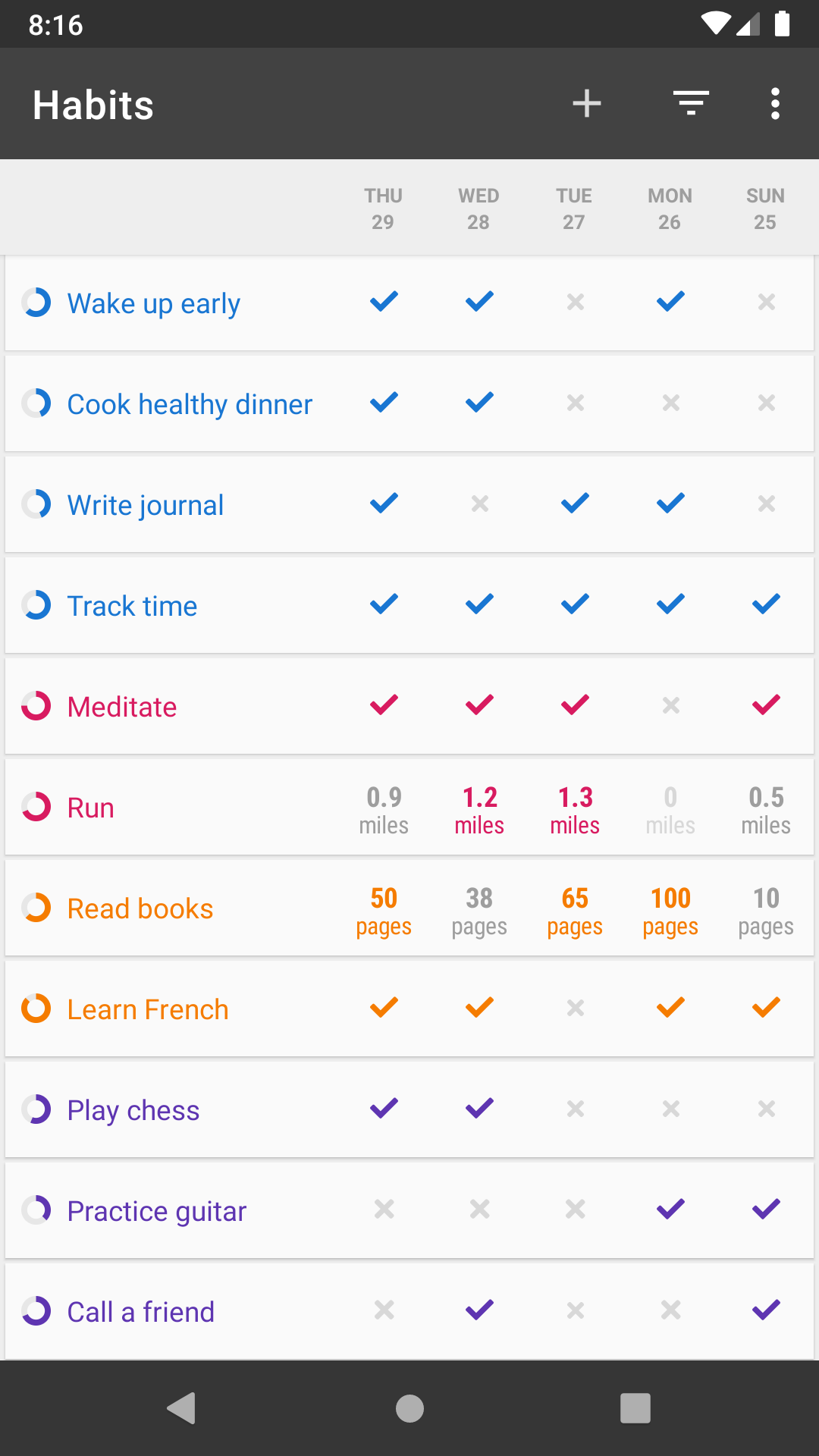
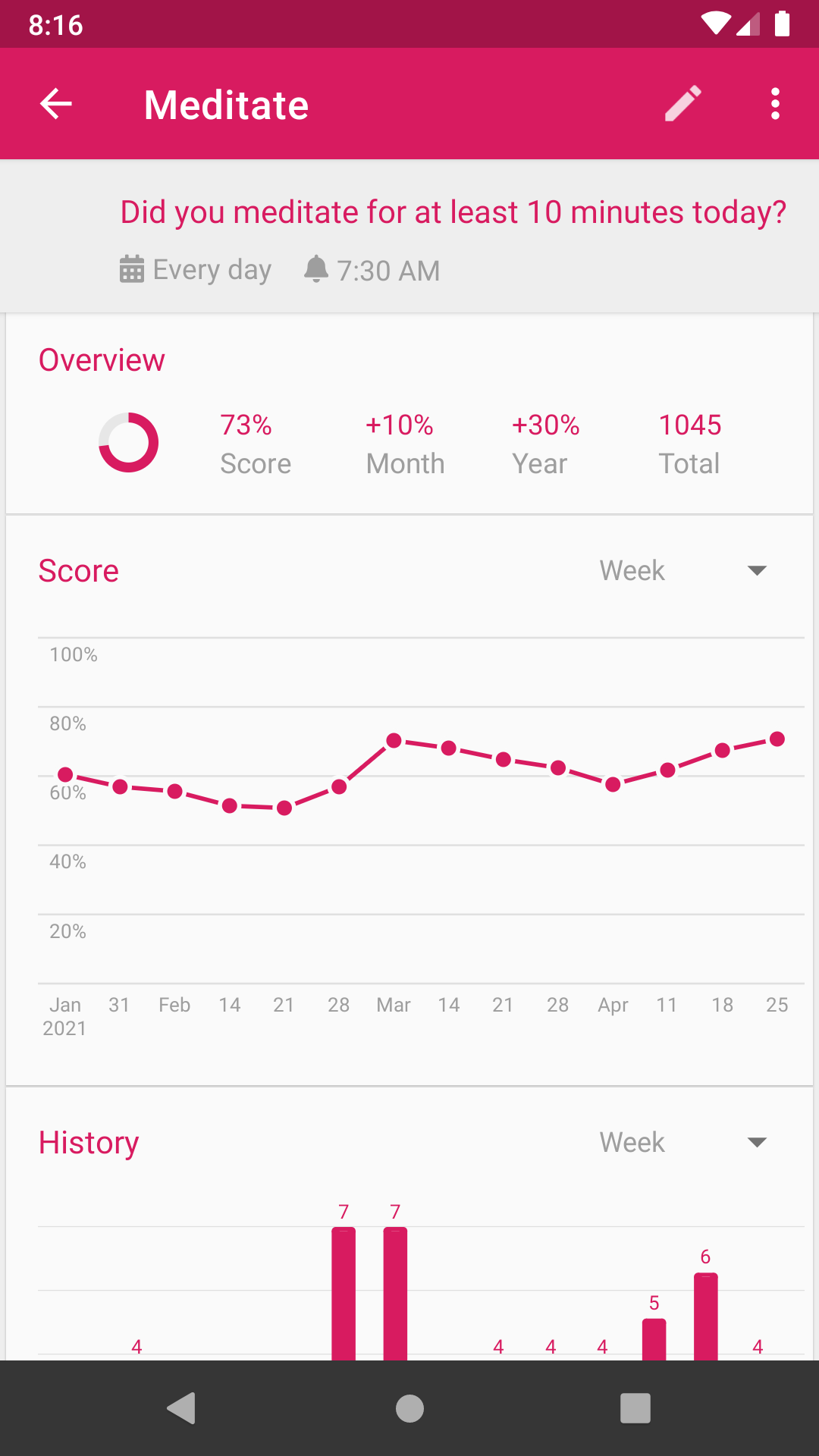
Loop Habit Tracker (Android only — free, no ads, no account) is a minimalist, open-source app distributed on F-Droid and Google Play. It shows a strength score for each habit that grows with consistency and weakens when you skip a day, plus detailed streak graphs. There’s no cloud sync or gamification, and development has been fairly quiet in recent years beyond small UI tweaks — it’s built for students who want a distraction-free tracker and don’t want their data tied to an account.
Streaks (iPhone, iPad, Apple Watch — one-time purchase, no subscription) is an Apple Design Award winner built around simple daily checklists rather than points or pets. It integrates with Apple Health (so workouts or sleep can auto-complete a habit), supports widgets and Siri Shortcuts, and syncs via iCloud. It’s a strong pick if you’re already in the Apple ecosystem and want to pay once instead of subscribing.
TickTick (iOS, Android, web, Windows, macOS — free tier available, with an optional paid plan billed monthly or annually) bundles a habit tracker into the same app as your to-do list, calendar, and a built-in Pomodoro timer. TickTick also offers a discount on the annual paid plan for verified students and educators. The habit-plus-planner combination matters for students specifically: you can track ‘study 1 hour’ as a habit right next to the assignment due tomorrow, instead of juggling two separate apps.
Forest (iOS, Android — free with an optional paid upgrade) is the focus-timer companion on this list rather than a habit tracker, and it pairs well with any of the four above for the actual study sessions. You plant a virtual tree that grows while you stay off your phone, and picking a different app mid-session kills the tree — a simple deterrent against checking messages during a study block.
How to Pick and Set It Up
Match the app to your phone first: Loop is Android-only, and Streaks is Apple-only, so half the list is already decided by your device. If you’re on Android and want gamification, Habitica is the natural choice; if you’re on iPhone and want gamification, Habitica also works since it’s cross-platform.
Start with one or two habits, not five. Add something concrete and dated, like ‘review notes for 20 minutes after class,’ rather than a vague goal like ‘study more.’ Every app above lets you set a specific time or trigger for reminders — use it, since a habit tracker only works if the notification actually reaches you before you forget.
If you already live in a to-do list for assignments, try TickTick first so habits and deadlines sit in one place. If you tend to abandon apps that feel like more chores, try Habitica or Forest, since the game mechanics give you a reason to open the app even on days you don’t feel motivated.
Tips and Common Mistakes
Don’t track too many habits at once. Piling on five new habits in week one is the fastest way to abandon the app by week two — most of these tools work best with a small handful of active habits.
Don’t let streak anxiety become the point. If you miss a day, log it and move on; Loop’s ‘strength’ score and Habitica’s health system are both designed to recover from a single miss, not punish it forever.
Pair your tracker with a focus tool for the actual work. Checking off ‘studied today’ means little if the session itself was 20 minutes of scrolling between paragraphs — this is where Forest or TickTick’s built-in Pomodoro timer earns its place alongside the tracker.
Turn on notifications, but keep them to your real study times. Reminders that fire at random hours get dismissed on reflex and stop working within a week.
Explore more: more habit-building guides.
Habit tracker apps for students FAQs
What is the best free habit tracker app for students?
Habitica and TickTick both have fully usable free tiers and work across iOS, Android, and web. Habitica adds gamification; TickTick adds a to-do list and calendar in the same app.
Is there a good habit tracker that doesn’t require a subscription?
Yes — Streaks (iPhone) is a one-time purchase with no recurring fees, Forest (iOS/Android) is free with an optional paid upgrade, and Loop Habit Tracker is completely free and open source with no paid tier at all.
Can I use a habit tracker and a study planner in the same app?
TickTick is built for this — it combines a habit tracker, to-do list, calendar, and Pomodoro timer, so assignments and daily habits live in one place instead of two separate apps.
Do habit tracker apps actually help with consistency?
They help most when paired with a specific, scheduled habit and a reminder you’ll actually see — the tracking itself is just a visual record; the reminder and the small commitment (or in-app pet, streak, or tree) is what pulls you back each day.
Build Better Habits With ZenDuel
Track your habits and mood, stay accountable, and build a calmer routine — get the ZenDuel app. Get ZenDuel.
Want a calmer inbox? Subscribe to the free newsletter.
Images: Habitica.
