A bullet journal habit tracker turns vague goals like “exercise more” or “drink more water” into a single page you can glance at each day. Instead of trusting your memory, you fill in a box, dot, or square every time you follow through, and the pattern that builds up over a month tells you the truth about your consistency far better than good intentions do.
Table of Contents
If you’re new to bullet journaling, the hardest part usually isn’t drawing the grid — it’s picking a layout that’s easy to maintain and choosing habits worth tracking in the first place. This guide walks through beginner-friendly layout examples, how to set one up in minutes, and the mistakes that make most first trackers get abandoned by week two.
Quick Answer
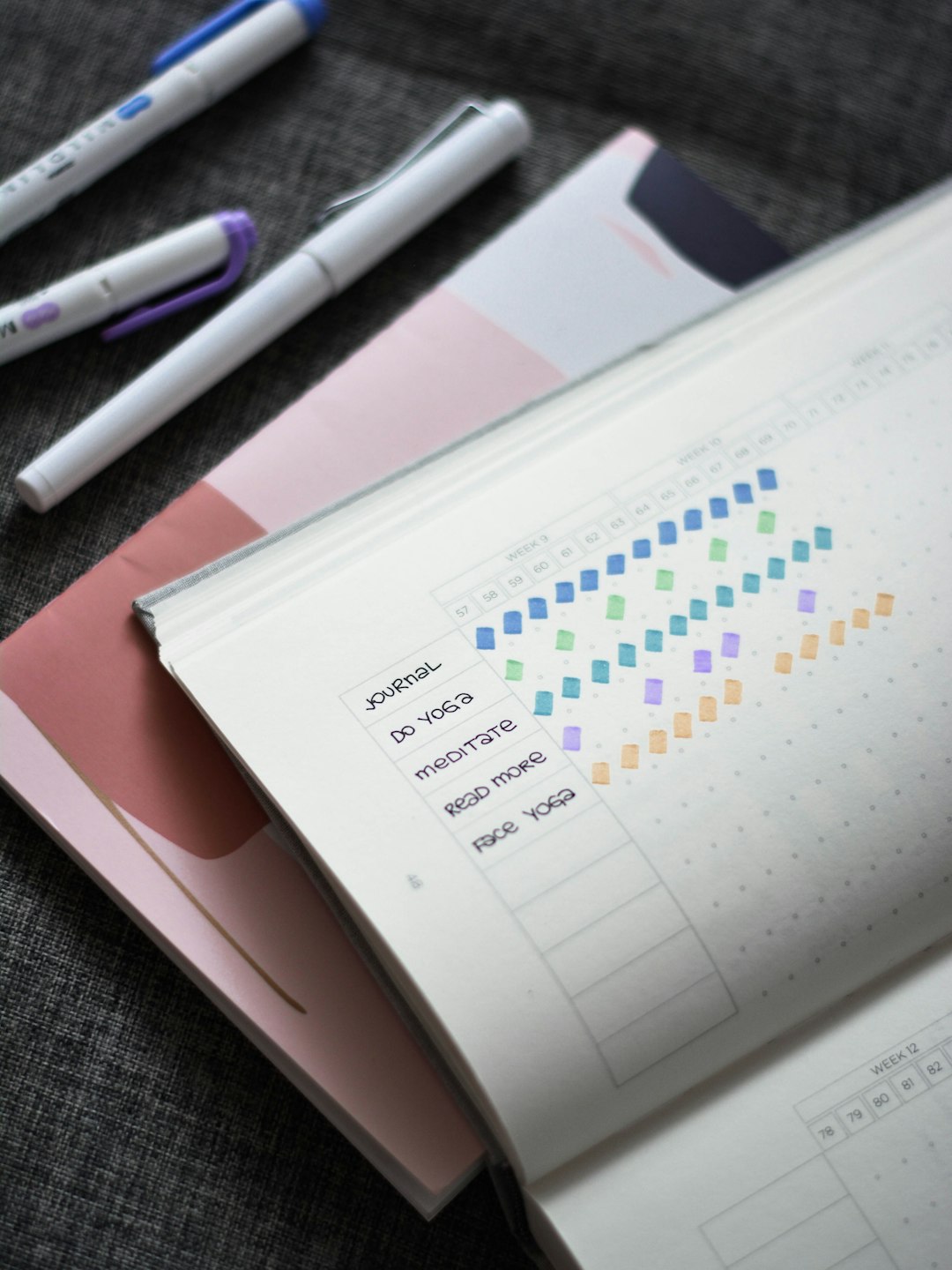
The easiest bullet journal habit tracker for a beginner is a simple grid: list your habits down the left side, put the days of the month across the top, and fill in a box each day you complete the habit. Start with 3-6 habits, keep the marking system as simple as a single dot or X, and set it up at the start of each month alongside your regular monthly log.
How to Set Up Your First Habit Tracker
Start with a two-page or one-page monthly spread. Draw a table with one row per habit and one column per day of the month (28-31 columns depending on the month). Label the rows with the habits you want to track and the columns with the date numbers. This is the classic “grid” style you’ll see in most bullet journal habit tracker examples, and it works well because it shows an entire month of progress at a glance.
Pick a marking system before you start filling anything in, not halfway through the month. The simplest options are a filled-in box or dot for “done,” an empty box for “not done,” and a small dash or diagonal line for “not applicable” (for a rest day, travel day, etc.). Some people use color instead — one color per habit, using a highlighter or colored pen to fill each square. Whatever you choose, keep it consistent so a glance at the page tells the whole story without you needing a key.
Fill it in daily, ideally right after you complete the habit or as part of an evening or morning review. Trackers that get filled in retroactively from memory tend to drift into guesswork, which defeats the point of tracking in the first place.
At the end of the month, look back before you draw the next one. Notice which habits you kept consistently, which ones fell off after a week or two, and whether the tracker itself was easy to maintain. Carry forward what worked and drop or redesign what didn’t — the tracker is meant to evolve with you, not stay identical every month.
Beginner-Friendly Layout Examples
Classic grid tracker: habits listed vertically, days across the top, one box per day per habit. This is the most common layout because it’s fast to draw, easy to read, and works in any notebook without special tools.
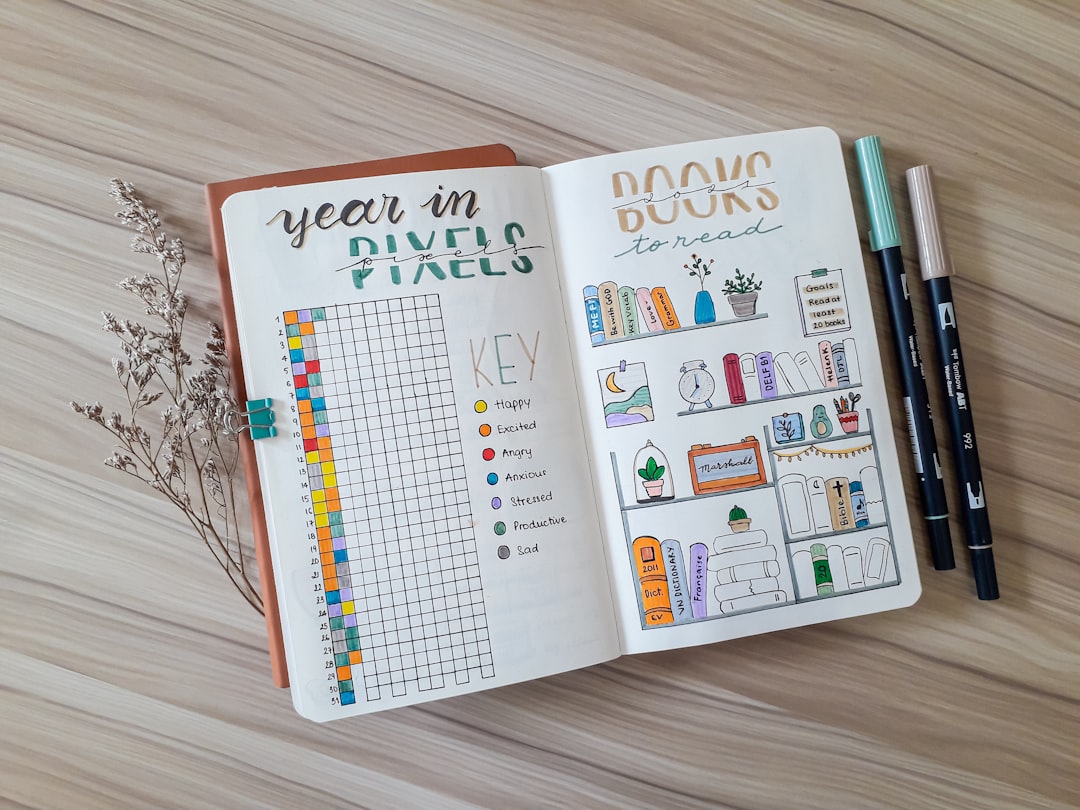
Circle or “flower petal” tracker: instead of a grid, each habit gets its own circle divided into 30-31 wedges (like a pie chart), and you color in one wedge per day. It takes a bit longer to set up but gives a satisfying visual as the circle fills in over the month — good for readers who want something a little more decorative without much extra daily effort.
Single-habit tracker: rather than tracking many habits on one page, dedicate a full page or half-page to one specific habit (e.g., a water-intake tracker with a glass icon per day, or a workout tracker with space to note exercise type). This suits people focusing hard on changing just one or two behaviors at a time.
Minimalist checklist: skip the grid entirely and just write the habit name with a small row of empty boxes or dots next to it, one per day. It’s the fastest layout to draw and works well if you don’t care about elaborate visuals and just want a functional daily check-off.
Weekly tracker: instead of a full month, some beginners find a week-by-week layout (7 columns instead of 30) less intimidating to fill in and easier to adjust habits on the fly, redrawing a fresh set each week.
Tips / Common Mistakes
Tracking too many habits at once is the most common reason trackers get abandoned. Start with 3-6 habits you actually care about — you can always add more once the first few feel automatic.
Choosing vague habits like “be healthier” makes the tracker useless because you can’t clearly mark it done or not done. Make each habit specific and binary: “10 min walk,” “no phone after 10pm,” “read 1 page,” not broad categories.
Over-designing the spread before you’ve tested whether the habits themselves stick is a common beginner trap — elaborate hand-lettering and color-coding are fun, but a habit tracker only works if it’s fast enough to fill in daily. If yours takes more than a few seconds per entry, simplify it.
Skipping days without marking them at all makes it hard to tell later whether a blank box meant “missed” or “forgot to fill in.” Use a clear symbol for missed days so the data stays honest.
If a habit consistently goes unmarked for a week or more, that’s information, not failure — it usually means the habit was too ambitious, poorly defined, or scheduled at the wrong time of day. Adjust it for next month instead of forcing the same version to repeat.
Explore more: more habit-building guides.
Bullet Journal Habit Tracker FAQs
How many habits should a beginner track at once?
Start with 3 to 6 habits. Tracking too many at once makes the page harder to maintain and makes it harder to tell which habits you’re actually making progress on.
Do I need special pens or a dotted notebook to make a habit tracker?
No. A dotted or grid notebook makes drawing straight lines easier, but any plain notebook and a ruler works fine. Color and specialty pens are optional decoration, not requirements.
What’s the difference between a habit tracker and a to-do list?
A to-do list tracks one-time tasks you complete and cross off. A habit tracker is for repeating behaviors you want to reinforce over time, so you mark each day you complete it rather than crossing it off permanently.
Should I redraw my habit tracker every month?
Yes, most bullet journal habit trackers are set up fresh each month as part of the monthly log, which also gives you a natural checkpoint to swap out habits that aren’t working.
Build Better Habits With ZenDuel
Track your habits and mood, stay accountable, and build a calmer routine — get the ZenDuel app. Get ZenDuel.
Photo by Prophsee Journals on Unsplash.
